
Storage Providers
s3BEAR can front several S3-compatible backends at once. Compatibility is based on the S3 API rather than a hard-coded vendor allow-list: AWS S3, MinIO, Ceph, Wasabi, and other S3-compatible services use the same endpoint and credential model. You register each backend as a Storage Provider, and when you create a bucket you pick which provider serves it. Every operation on that bucket — browse, upload, download, share, resize, copy/move, delete — is routed to the right backend automatically.
s3bear.example.com
How routing works
Bucket names are globally unique across s3BEAR, so a name alone routes
unambiguously. An explicit provider_id on bucket creation overrides the default; stale
mappings fall back to the default provider.
Registering a provider
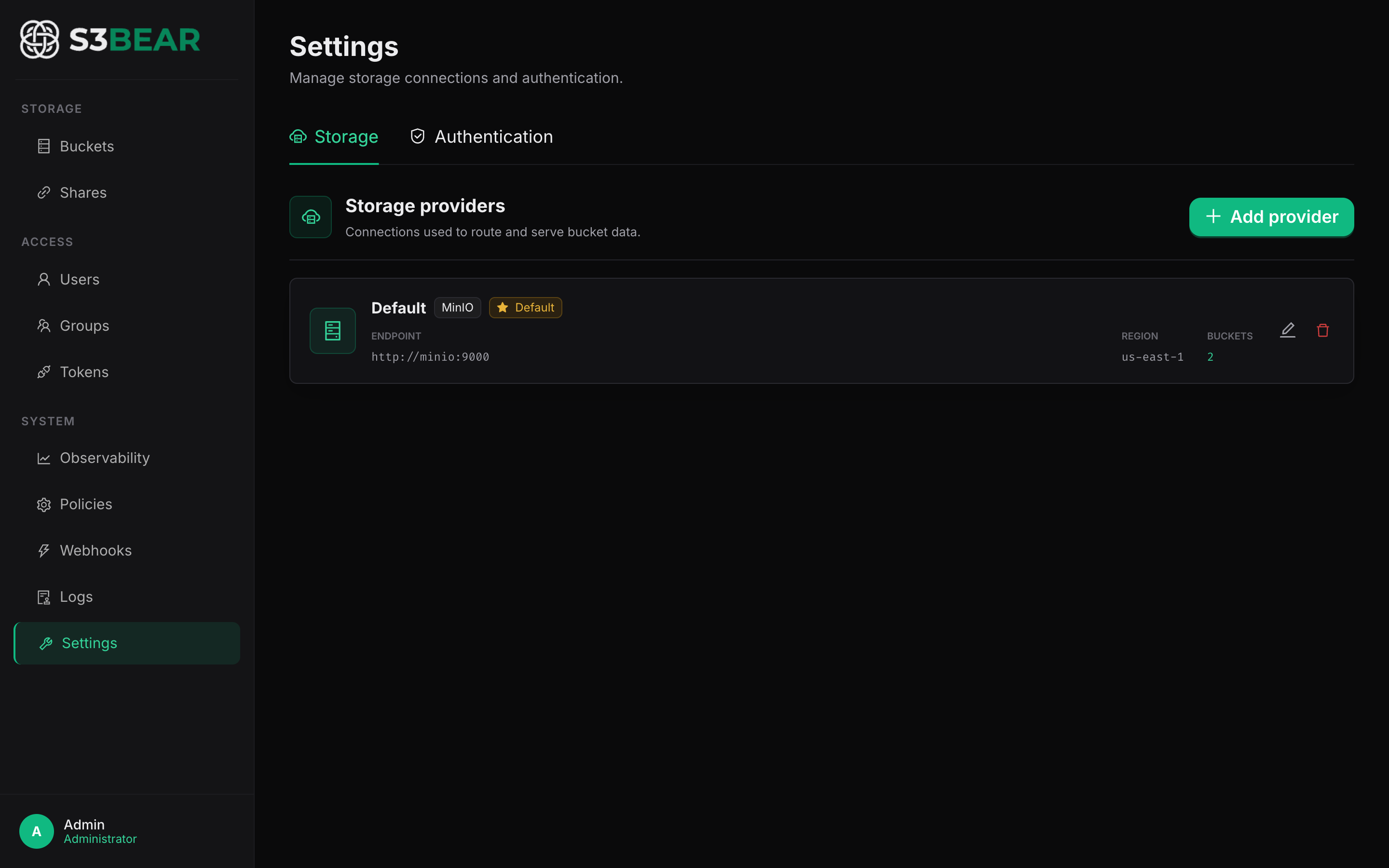
In the UI: Settings → Storage → Storage Providers → Add Provider. Provide the connection details and click Test before saving.
| Field | Example |
|---|---|
| Type | AWS S3, MinIO, or Custom for another compatible service |
| Access Key ID | minioadmin |
| Secret Access Key | minioadmin |
| Region | us-east-1 |
| Endpoint URL | http://minio:9000 (internal, backend → storage) |
| Presigned URL Base | http://localhost:9000 (external, browser → storage) |
For a service not named in the UI, choose Custom, enter its S3 API endpoint and
region, then use Test before saving. Provider implementations can differ at the edges;
the operations used by s3BEAR include bucket and object listing, multipart upload,
presigned URLs, delete, and copy. Browser-direct uploads also require the provider's CORS
configuration to expose ETag.
The first provider you add automatically becomes the default ⭐. Set a different default later by clicking the star on any provider card.
# Register a provider
curl -X POST http://localhost:8200/api/v1/providers \
  -H "Authorization: Bearer $TOKEN" -H "Content-Type: application/json" \
  -d '{
    "name": "Local MinIO 1",
    "type": "minio",
    "access_key_id": "minioadmin",
    "secret_access_key": "minioadmin",
    "region": "us-east-1",
    "endpoint_url": "http://minio:9000",
    "presigned_url_base": "http://localhost:9000"
  }'

# Test a connection before saving
curl -X POST http://localhost:8200/api/v1/providers/test \
  -H "Authorization: Bearer $TOKEN" -H "Content-Type: application/json" \
  -d '{ "type": "minio", "endpoint_url": "http://minio:9000", "access_key_id": "minioadmin", "secret_access_key": "minioadmin" }'

# Set default / delete
curl -X POST http://localhost:8200/api/v1/providers/{id}/default -H "Authorization: Bearer $TOKEN"
curl -X DELETE http://localhost:8200/api/v1/providers/{id} -H "Authorization: Bearer $TOKEN"
Assigning buckets to providers
When you create a bucket, choose its Storage provider. Each bucket card then shows a provider badge. Buckets created without an explicit choice land on the default provider.
Delete guard: a provider with buckets attached cannot be deleted — remove or reassign its buckets first. This prevents orphaning live storage.
Cross-provider copy / move
Copy or move works across providers. When both buckets live on the same backend, a
server-side CopyObject is used; when they live on different backends, s3BEAR streams the
object out of the source and into the destination for you.
For very large objects, prefer keeping source and destination on the same provider — a cross-provider copy buffers the object through the gateway.
Notes & limitations
- Buckets created directly in a backend (outside s3BEAR) are still listed and attributed to the provider they were discovered on.
- Creating a bucket name that already exists on any provider is rejected (names are globally unique).
- Legacy single-connection settings are migrated into a provider named "Default" on upgrade, so existing deployments keep working unchanged.
Related: Buckets & Quotas · Configuration · Architecture