
Buckets & Quotas
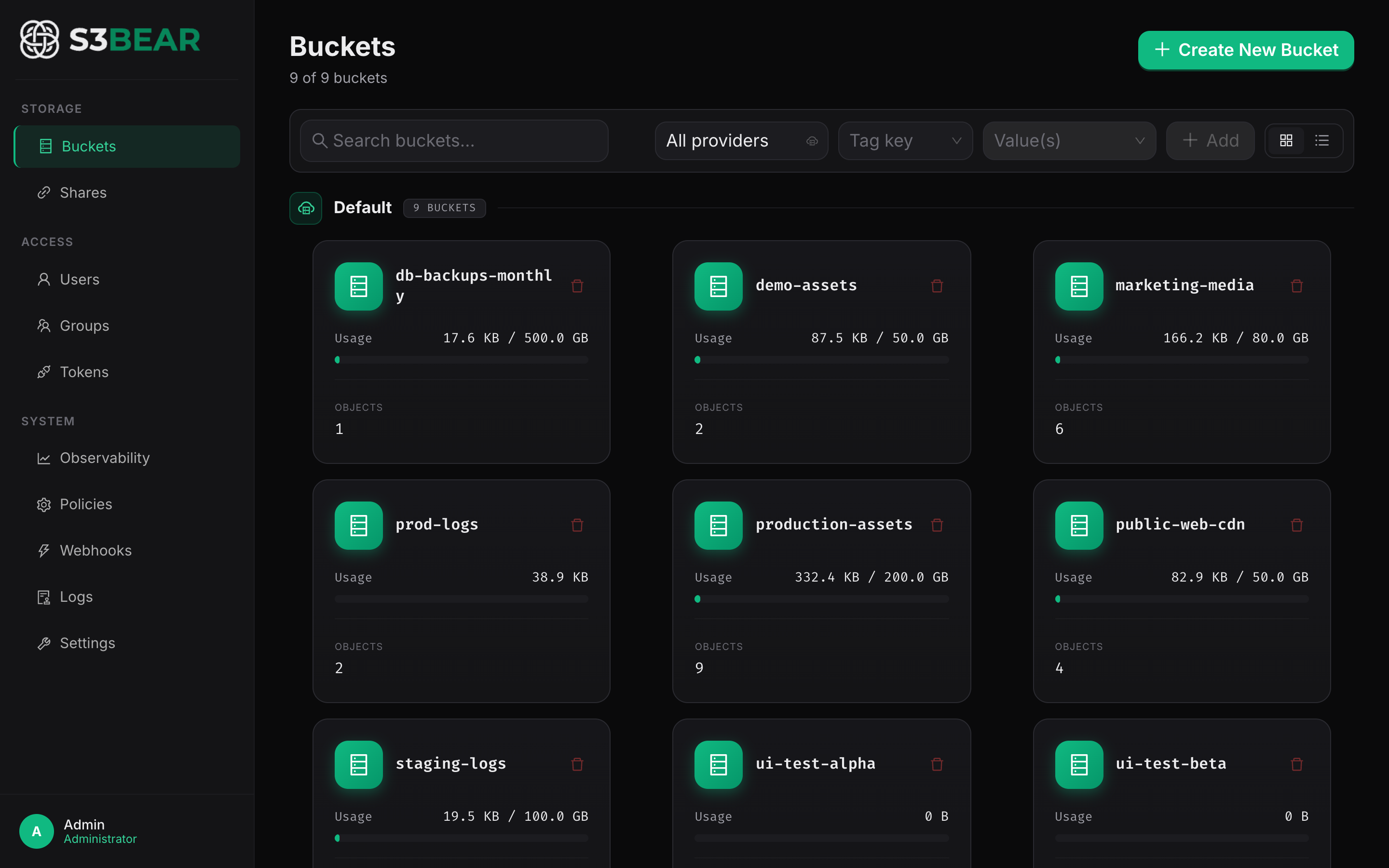
Admins can create and delete buckets directly from the s3BEAR UI or API. Each bucket can carry an optional size quota (in GB), and a separate global storage quota caps total usage across every bucket in the deployment.
s3bear.example.com
What it does
- Admins create and delete buckets from the UI or API.
- Each bucket can carry an optional size quota (GB). Uploads that would push the bucket over its quota are rejected with HTTP 413.
- A separate global storage quota (configured in Settings) caps total usage across all buckets.
- Bucket names are validated against the AWS bucket naming spec: 3–63 characters, lowercase letters, digits, dots, and hyphens only.
How to use
Create a bucket with a quota:
curl -X POST http://localhost:8200/api/v1/buckets \
  -H "Authorization: Bearer $TOKEN" \
  -H "Content-Type: application/json" \
  -d '{"name": "marketing-assets", "quota_gb": 50}'
Browse contents (optionally scoped by prefix):
curl "http://localhost:8200/api/v1/buckets/marketing-assets/browse?prefix=campaigns/2026/" \
  -H "Authorization: Bearer $TOKEN"
Delete a bucket:
curl -X DELETE http://localhost:8200/api/v1/buckets/marketing-assets \
  -H "Authorization: Bearer $TOKEN"
Bucket creation and deletion require admin privileges. See Permissions for how per-bucket read/write/delete access is granted to non-admin users.
Use case: Preventing one team from filling the disk
You're hosting a self-managed MinIO with 1TB of disk. Set the global quota to 900GB (leaves 10% headroom for the OS) and per-team bucket quotas of 100GB each. If the marketing team starts uploading raw 4K video, their uploads get cut off at 100GB instead of taking down storage for everyone else.