
Public Share Links
s3bear.example.com
Link lifecycle
What it does
Public Share Links turn any object in a private bucket into a tokenized, expiring, revocable HTTPS URL — without ever touching S3 ACLs. Internally:
POST /api/v1/share/{bucket}/{key}— authenticated, requiresreadon the object — mints an opaque token and returns{ token, url, expires_at }. The token is stored hashed (SHA-256); the raw value is shown only once.GET /api/v1/public/s/{token}— no auth required. Validates expiry and revocation status, streams the object withContent-Disposition: inline(so browsers render images/PDFs directly), and increments an access counter.GET /api/v1/share/DELETE /api/v1/share/{id}— list and revoke your own links (admins see all links).
The bucket stays private at the S3 level throughout. Access can be revoked at any time, and expired, revoked, or unknown tokens all return 410 Gone — without revealing whether the underlying object even exists.
Expiry: choose
1h/24h/7d(default) /30d, an integer number of seconds, ornever.neverlinks are permanent until you revoke them from the Shares page.
Migration note: the old untokenized
GET /api/v1/public/{bucket}/{key}endpoint has been removed and now returns410 Gone. All public access flows through share tokens.
On-the-fly transforms: share URLs accept the same image params as the authenticated image proxy —
?w=512&format=webp&q=80etc. Perfect for feeding right-sized images to LLMs from a single share link.
How to use
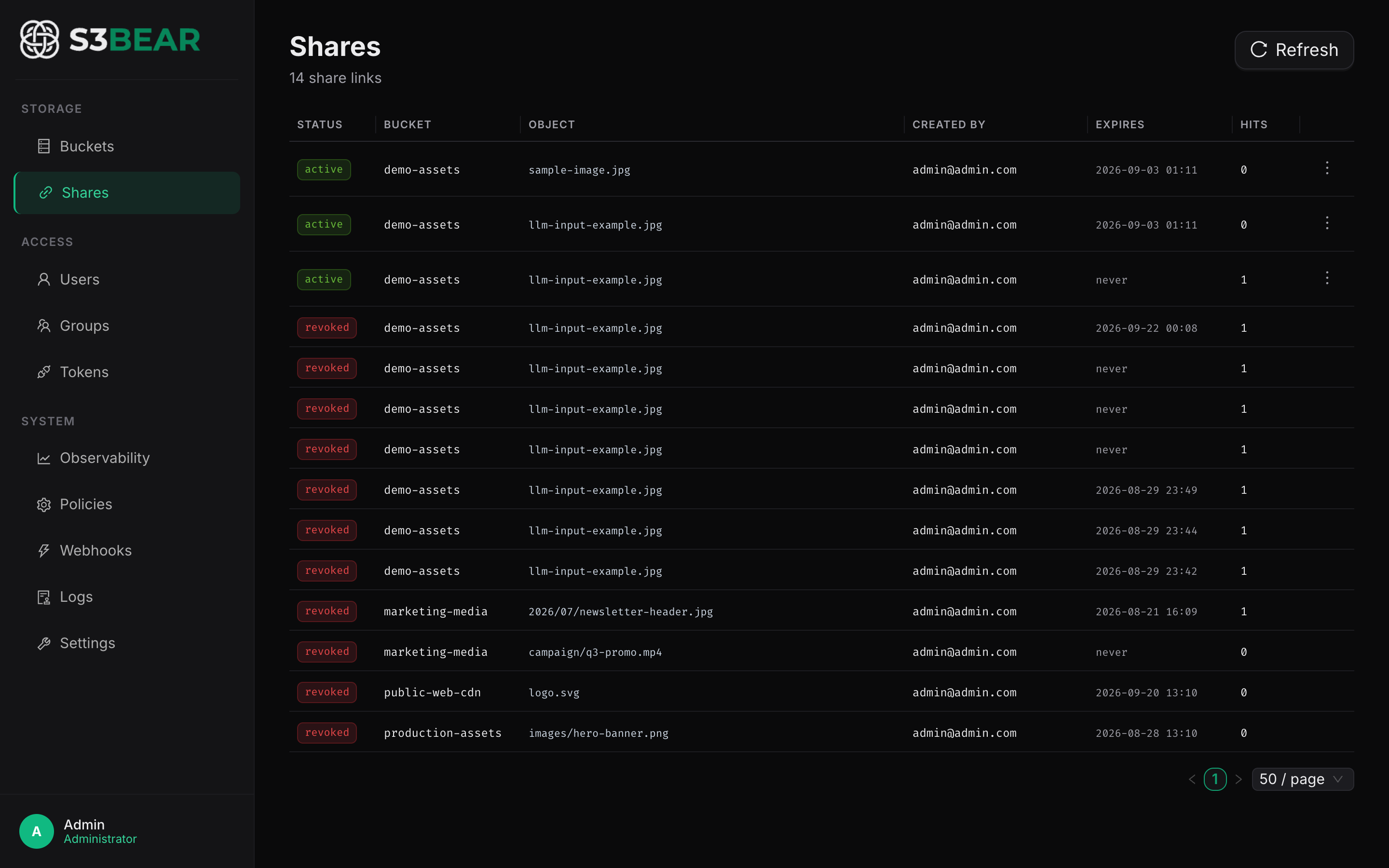
In the UI: open the Share modal on any file, pick an expiry, click Generate Share Link, and copy the URL. Manage or revoke existing links from the Shares page in the sidebar.
Via the API:
# Create a 7-day share link (authenticated)
curl -X POST "http://localhost:8200/api/v1/share/marketing-assets/logos/hero.png" \
  -H "Authorization: Bearer $TOKEN" \
  -H "Content-Type: application/json" \
  -d '{"expires_in": "7d"}'
# → { "token": "xZ...", "url": "/api/v1/public/s/xZ...", "expires_at": "2026-08-25T..." }

# Anyone, no auth required (until it expires or is revoked)
curl https://s3bear.example.com/api/v1/public/s/xZ... -o hero.png

# Revoke it
curl -X DELETE https://s3bear.example.com/api/v1/share/<link-id> \
  -H "Authorization: Bearer $TOKEN"
The returned URL is a shareable HTTPS endpoint — paste it into emails, embed it in <img> tags, send it to external partners. When it expires or you revoke it, the URL 410s.
Use case: Feeding images into an LLM as an HTTP source
Modern multimodal LLM APIs (Claude, GPT-4o, Gemini) accept images either as base64 payloads or as HTTP URLs. Base64 is simple but bloats your request size by roughly 33% and means you're shipping the same image bytes to the LLM on every call.
If your reference imagery sits in a private S3 bucket — product photos, screenshots, documentation diagrams — you can:
- Click Share on the image in s3BEAR (pick an expiry, e.g.
24h) to gethttps://s3bear.example.com/api/v1/public/s/xZ... - Pass that URL straight to the LLM:
from anthropic import Anthropic

client = Anthropic()
response = client.messages.create(
    model="claude-opus-4-8",
    max_tokens=1024,
    messages=[{
        "role": "user",
        "content": [
            {
                "type": "image",
                "source": {
                    "type": "url",
                    "url": "https://s3bear.example.com/api/v1/public/s/xZ..."
                }
            },
            {"type": "text", "text": "Describe what's wrong with this product photo."}
        ]
    }]
)
The LLM provider fetches the image from your s3BEAR endpoint over HTTPS. You don't expose the underlying S3 bucket, you don't ship base64 over the wire, and the same URL works for image previews in your frontend, image-to-image pipelines, and downstream RAG systems.
Use case: Embedding files in external documents
A vendor needs the latest version of a spec sheet linked in their portal. Instead of emailing them a fresh PDF every time the file changes, create a long-lived (or never-expiring) share link once. Updating the file in the bucket serves the new version automatically through the same token. When the engagement ends, revoke the link (or let it expire) and the URL returns 410.
Use case: OG / preview images for marketing pages
Your CMS needs og:image URLs for social previews. Drop the assets into a marketing-og bucket, share-link them, and paste the URLs into your CMS. No CDN setup, no separate hosting.
See also Image Serving & Transforms for the full transform parameter reference that share links also support.