Secure S3 gateway
for AI workloads
Serve images and files from private S3 storage to LLMs and browsers — without ever making a bucket public. One gateway enforces per-user permissions, expiring links, and audit logging in front of any S3-compatible backend.
The problem
Multimodal LLMs take images as HTTPS URLs. But your images live in a private S3 bucket. So teams reach for bad options:
Make the bucket public
Now anything in it is exposed to the whole internet, forever.
Hand-roll presigned URLs
Scattered across scripts, no central control, hard to revoke, easy to leak.
Proxy through app code
Every service re-implements auth, MIME checks, and rate limits.
The solution
s3BEAR is that door. It sits in front of any backend that exposes an S3-compatible API and becomes the only access path. Storage stays private at the S3 level; s3BEAR decides — per user, per link, per request — what gets out.
One governed door, three steps
Point s3BEAR at your storage
Connect one or more backends that expose an S3-compatible API. AWS S3, MinIO, Ceph, and Wasabi are examples, not a fixed provider list. Buckets stay private at the storage level.
Set permissions & policies
Define group-based glob permissions, per-bucket quotas, and scheduled cleanup. Every user, token, and link is governed from one place.
Serve to LLMs & browsers
Mint an expiring, revocable HTTPS URL for any object and hand it to a multimodal LLM — or stream authenticated, resized images to your app.
Everything you need to govern object access
AI-ready URLs
Turn any private object into a stable HTTPS URL an LLM can fetch — expiring, revocable, and transformable on the fly.
Private by default
The S3 bucket is never made public. s3BEAR is the single gated access path; expired or revoked links return 410 Gone.
Central permissions + audit
Group-based glob permissions per action, per-bucket quotas, and an audit trail of every state-changing operation.
Self-host anywhere
One Docker command to try it; a Helm chart for production Kubernetes. Bring your own S3 or run embedded MinIO.
On-the-fly transforms
Resize and re-encode images from the URL (?w=1024&format=webp&q=80) — hand right-sized assets to models, no second copy stored.
Webhooks & events
Fire HMAC-signed callbacks on upload, delete, move and more — re-index, thumbnail, or alert your systems in near real time.
From private bucket to prompt in two calls
Multimodal models take images as HTTPS URLs — but yours live in a private bucket. s3BEAR mints a short-lived, revocable URL you can pass straight to Claude, GPT-4o, or Gemini. No public bucket, no base64 bloat, and the same link resizes on the fly.
- Expiring & revocable — links return 410 when done
- Resize inline with ?w=1024&format=webp&q=80 to save tokens
- Every mint is permission-checked and audit-logged
# 1. Mint an expiring share link for a private object
curl -X POST https://s3bear.example.com/api/v1/share/products/sku-12345.png \
  -H "Authorization: Bearer $TOKEN" \
  -d '{"expires_in": "24h"}'
# → { "url": "/api/v1/public/s/xZ...", "expires_at": "..." }# 2. Hand the URL straight to a multimodal LLM
from anthropic import Anthropic
client = Anthropic()
resp = client.messages.create(
model="claude-opus-4-8",
max_tokens=1024,
messages=[{
"role": "user",
"content": [
{"type": "image", "source": {
"type": "url",
"url": "https://s3bear.example.com/api/v1/public/s/xZ..."
}},
{"type": "text", "text": "Describe this product photo."},
],
}],
)See it in action
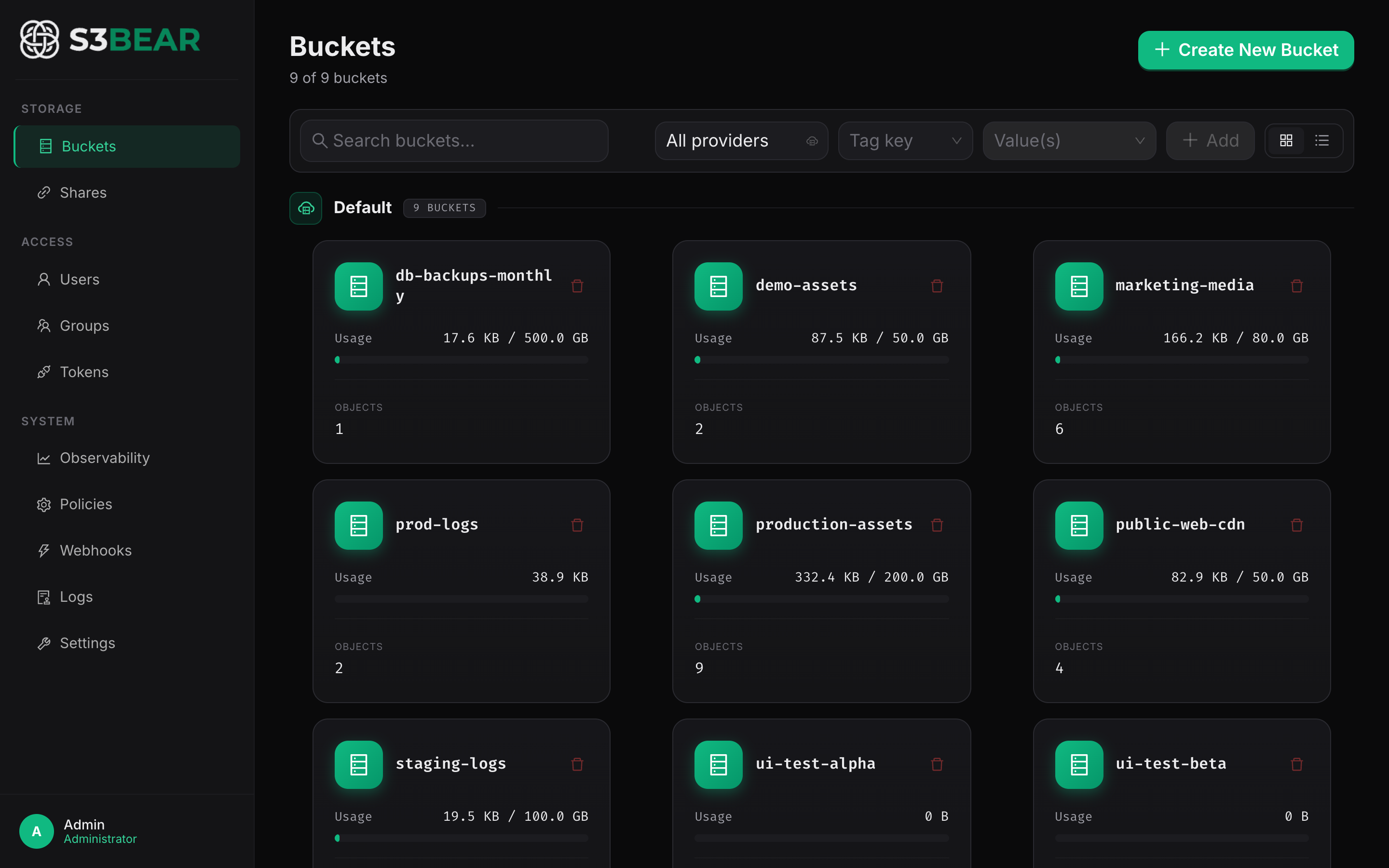
A governed control plane for every object leaving your storage.
Benchmarks
Fast where it counts — and measured to prove it
We ran 2,680 measured transfers through s3BEAR across four object sizes and up to 50 concurrent clients. Every single sample returned correct, complete bytes — and the presigned data path keeps pace with hitting S3 directly.
Where the tuning paid off
Apple M4 Mac mini · PostgreSQL 16 · MinIO · HTTP · 2,680 measured samples · 0 failed
Read the full benchmark report, methodology & scorecard →Quick start, in 60 seconds
Local · Docker Compose
cp .env.example .env   # fill in your credentials
docker compose -f docker-compose.dev.yml up -d
Production · Kubernetes (Helm)
helm install s3bear oci://registry-1.docker.io/bearcomp/s3bear \
  --version 1.0.3 --namespace s3bear --create-namespace \
  --set secrets.secretKey="$(openssl rand -hex 32)" \
  --set config.presignedUrlBase="https://minio.example.com" \
  --set ingress.host="s3bear.example.com"
Full values and a production checklist in the Quick Start guide.
| Service | URL |
|---|---|
| Frontend | http://localhost:3100 |
| Backend API | http://localhost:8200 |
| MinIO Console | http://localhost:9001 |
Default admin: [email protected] / admin — change this in production.
Built in the open — come build with us
s3BEAR is a free, MIT-licensed project. The whole stack — FastAPI backend, React console, and Helm chart — lives on GitHub. Star it, open an issue, or send a pull request.
MIT licensed
Use it, fork it, ship it — in personal projects or commercial products. No strings.
Self-hosted, no lock-in
Runs entirely on your infrastructure in front of any S3-compatible backend. Your data never leaves.
Contributions welcome
Issues, features, docs, and reviews are all fair game. Good first issues are labelled to get you started.
Put a governed door in front of your storage
Spin up s3BEAR in 60 seconds with Docker, or deploy to Kubernetes with the Helm chart. Bring your own S3 — the bucket never goes public.